The Cheapest Way to Run a Local LLM in 2026
You don't need a $2,000 GPU to run a capable local LLM. Here are the cheapest paths that actually work, ranked by price, with the exact hardware we'd buy.
People assume running AI locally means dropping thousands on an NVIDIA workstation. It doesn’t. The right question isn’t “what’s the best GPU”, it’s “what’s the cheapest thing that runs the model I actually need?” Answer that honestly and you can be up and running for the price of a takeaway dinner.
Below is the exact budget ladder we’d recommend to a friend, what each tier can genuinely do, what it costs to run, and the one trap that wastes most people’s money.
First, match the model to the job
Before spending anything, get clear on what you want the AI for. Local models come in rough capability tiers, and each tier maps to very different hardware:
| You want to… | Model size | Example models (2026) | Realistic on |
|---|---|---|---|
| Tinker, classify text, route messages, simple agents | 1–3B | Llama 3.2 3B, Qwen2.5 3B, Gemma 3 4B | Raspberry Pi 5, any laptop |
| Chat, summarise, draft emails, code help | 7–8B | Llama 3.1 8B, Qwen2.5 7B, Mistral 7B | 8 GB GPU, M-series Mac |
| Stronger reasoning, longer documents, better code | 14–32B | Qwen2.5 14B/32B, Gemma 2 27B | 24 GB GPU |
| Frontier-ish quality at home | 70B | Llama 3.3 70B (4-bit) | 2× 24 GB, or rent |
Most people think they need a 70B and actually get 90% of the value from a fast 8B. Buying for the model you need today, not the one you imagine, is where the savings come from.
The actually-cheapest option: the machine you already own
Before you buy anything, try a model on the laptop or desktop in front of you. It is free, and for a lot of people it is enough. Any machine with 8 GB of RAM runs a 3B model, and 16 GB comfortably runs an 8B. Here is the whole setup, start to finish, in about five minutes:
- Install Ollama (one installer for macOS, Windows, and Linux).
- Open a terminal and pull a small model:
# ~2 GB download, runs on almost any laptop
ollama run llama3.2:3b

# ~5 GB, needs roughly 8 GB of free RAM or VRAM
ollama run llama3.1:8b
That’s it. The first command downloads the model and drops you straight into a chat prompt. If an 8B model feels slow on your machine, step down to the 3B; if it flies, you’ve just learned you may not need to spend anything at all. Prefer a click-to-install app with a chat window? Use LM Studio instead, it wraps the same idea in a GUI. We compare the options in Ollama vs llama.cpp vs LM Studio.
Only once you’ve hit the ceiling of what your current machine can do does it make sense to buy hardware. The ladder below is for that moment.
The budget ladder
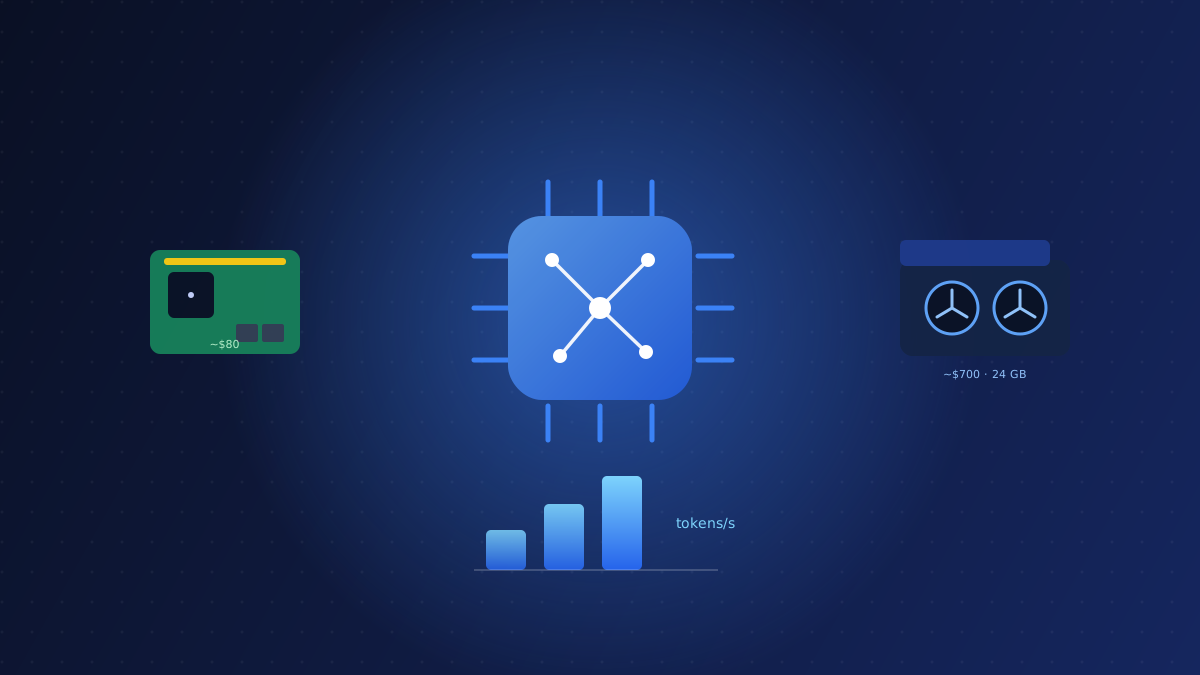
There are really only three price points worth considering. Everything else is a worse version of one of these:
- ~€80: Raspberry Pi 5. Runs 1–2B models. Great for learning and tiny agents.
- ~€200: a used N100/N150 mini-PC. CPU-only, runs 3–8B models slowly.
- ~€700: a used RTX 3090. The value king. 24 GB VRAM runs 8B–14B fast.
Avoid the “in-between” trap
The most common money mistake is spending €300–500 on a mid-range new GPU (an 8 GB RTX 4060, say). You pay new-card prices for less VRAM than a used 3090 that costs a bit more. If your budget can stretch past ~€600, skip straight to the 3090, the jump in capability per euro is enormous. If it can’t, a Pi 5 or a CPU mini-PC gets you learning today, and you lose nothing by waiting.
The ~€80 curiosity tier: Raspberry Pi 5
A Pi 5 won’t run ChatGPT-class models, but it will run a quantized 1.7B model well enough for simple classification, routing, and home-automation agents, at a power draw (about 5–8 W under load) you’d never notice on your electricity bill. Expect a few tokens per second: too slow for a chat window, perfectly fine for a background task that reads a message and picks an action.
This is the tier to choose if you’re learning how local inference works, want an always-on assistant for a home-lab, or are building a small embedded project.
What to run on it: start with llama3.2:1b or qwen2.5:1.5b in a 4-bit
quantization (Ollama pulls these by default). Keep context short and don’t expect
to stream a conversation, treat it as a worker that reads an input and returns a
label or a short answer.
Raspberry Pi 5 (8GB)
- 8 GiB VRAM
- 12 W TDP
- 2023
~$80 street price
Best for learning, tiny agents, and always-on background tasks. Get the 8 GB model and pair it with an active cooler. Sustained inference will thermal-throttle the bare board within minutes.
The ~€700 do-everything tier: used RTX 3090
This is the recommendation for almost everyone who’s serious. The RTX 3090’s 24 GB of VRAM is the single most important spec for local AI, and used prices have fallen to roughly a third of a new 4090 while delivering most of the real-world inference speed. With 24 GB you run 8B–14B models fast, comfortably handle 32B, and can even squeeze a 4-bit 70B at short context.
What it costs to run: a 3090 pulls up to ~350 W under load, but only while generating. For typical interactive use (bursts of a few seconds) you’ll add a euro or two a month to your bill, far less than people fear.
Buying used safely: these are plentiful from the gaming market. Buy from a seller with a returns window, then stress-test on arrival: run a sustained inference or a memory test for 20–30 minutes and watch temperatures and for any visual artefacts. A healthy card runs hot but stable; instability or VRAM errors mean send it back.
What to run on it: an 8B model (llama3.1:8b, qwen2.5:7b) for fast everyday
chat, a 14B for better reasoning, or a 4-bit 32B when you want more depth and can
accept slower output. Keep one 70B (llama3.3:70b at 4-bit) on disk for the rare
job that needs it.
NVIDIA GeForce RTX 3090
- 24 GiB VRAM
- 350 W TDP
- 936 GB/s
- 2020
~$700 street price
24 GB VRAM runs 8B–14B models at high speed and fits a 4-bit 70B. The one card we’d tell a friend to buy today. Pair it with a 750 W+ PSU and decent case airflow.
What about renting instead of buying?
If you only need a big GPU occasionally, to benchmark, fine-tune, or run a 70B for an afternoon, don’t buy at all. Rent one by the hour:
Rent a GPU by the hourAt roughly €0.30–0.70/hour for a 24 GB card, renting beats buying until you’re using it most days. A quick rule: if you’d use a GPU fewer than ~3–4 hours a day, renting is cheaper than owning once you count the purchase price, electricity, and the card’s eventual resale loss. See our full RunPod vs Vast.ai comparison for how to do it without surprise bills.
Total cost of ownership: the honest numbers
Sticker price isn’t the whole story. Here’s what each path really costs over a year of regular use:
| Path | Up-front | Running cost / yr | Best for |
|---|---|---|---|
| Raspberry Pi 5 | ~€80 | ~€2 | learning, tiny agents |
| Used RTX 3090 | ~€700 | ~€15–40 | daily local AI |
| Cloud rental | €0 | ~€0.30–0.70/hr | occasional heavy jobs |
The Pi is almost free to run; the 3090 pays for itself versus rental within a few months if you use AI daily; rental wins if your use is bursty.
Bottom line
Buy a used RTX 3090 if you’re serious, a Raspberry Pi 5 if you’re curious, and rent if your need is occasional. Whatever you pick, match it to the model you’ll actually run, not the one you imagine you might. Use the VRAM guide to size your card precisely before you spend a cent.
Gear mentioned in this post
- Check Raspberry Pi 5 price
Raspberry Pi 5 (8GB)
8 GiB · ~$80
- Check RTX 3090 price
NVIDIA GeForce RTX 3090
24 GiB · ~$700
Frequently asked questions
What is the cheapest GPU to run a local LLM?
A used RTX 3090 at around $700 is the cheapest GPU that runs 8B–14B models fast and fits a quantized 70B. It offers the best VRAM-per-dollar for local AI today.
Can a Raspberry Pi 5 run a local LLM?
Yes. A Raspberry Pi 5 (8 GB) runs a quantized 1–2B model at a few tokens/sec, enough for learning, routing, classification, and small home-automation agents, but too slow for chat.
Is it cheaper to rent a GPU than to buy one?
If you only need a big GPU occasionally, yes. A 24 GB card rents for roughly $0.20–0.70/hour, which beats buying until you are using it most days.
What software do I use to run a local LLM?
Ollama is the simplest: install it, run 'ollama run llama3.1:8b', and you are chatting in minutes. LM Studio offers the same with a graphical app, and llama.cpp gives you the most control for advanced setups.
Do I need a GPU at all to run a local LLM?
No. Any laptop or desktop with 8 GB of RAM runs a 3B model on the CPU, and 16 GB handles an 8B model. A GPU mainly makes generation faster, it is not required to get started.